
HIPOBUY SPREADSHEET / PHOTO CHECKS
Hipobuy QC Photos vs Catalog Images: A Practical Checklist
Understand the difference between Hipobuy catalog images and item-specific QC photos. Check variants, measurements and visible details without assuming a quality guarantee.
Independent editorial guide Reviewed
On smaller screens, scroll tables sideways to see every column.
When browsing Hipobuy finds, start by asking which item a photo actually shows. A clean catalog image and a photo connected to a specific order serve different purposes. Neither should be treated as a guarantee of authenticity, durability or a seller’s future performance.
Identify the photo source
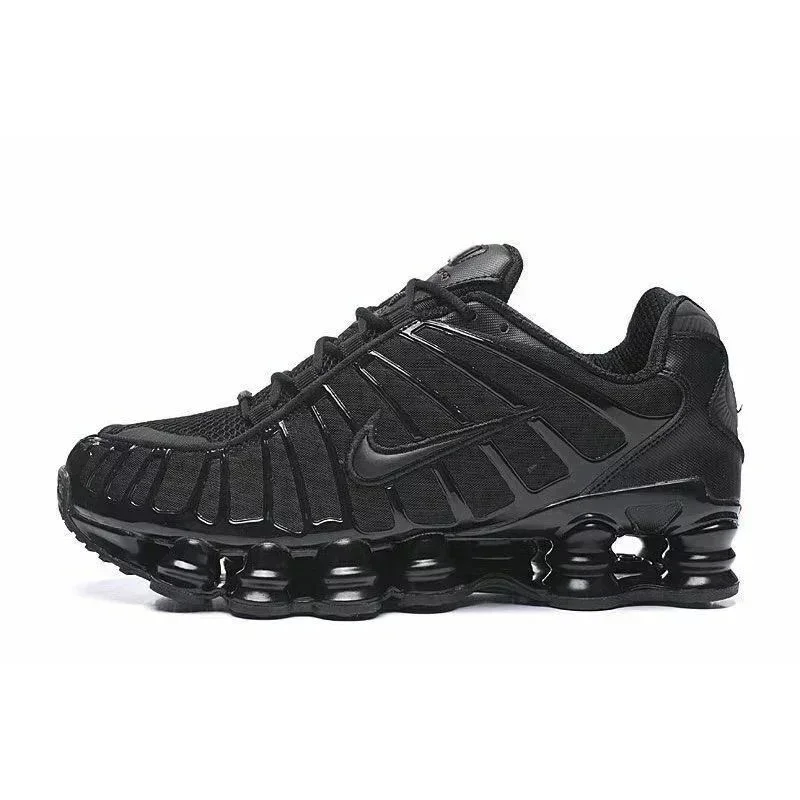
The pictures displayed on this website are catalog images from the linked listings. They help you recognize a style or visible feature. We are not presenting them as warehouse inspection photos of your order.
For any set described as QC, establish who supplied it and which item, size, color or order it represents. A community photo of someone else’s purchase can be a reference, but it is not inspection evidence for the item you will receive. If the connection is unclear, leave it unconfirmed.
Check the variant first
Before zooming into a seam, confirm the basics. Does the visible style match the listing? Is the color the option you chose? If labels or measurements are present, can you tell which size they refer to?
Compare more than one angle where available. A matching front view does not show the back, underside or interior. Check that the images are consistent with one another, and do not assume a seller’s multi-color collage represents one specific option.
Save the link and your chosen variant alongside the photos you are reviewing. If you share questions with an agent or seller, identify that item clearly and avoid posting private order or account information publicly.
Use the product-variant checklist to keep the model, color and size attached to the correct listing before reviewing its photos.
Use a category-specific checklist
The right questions depend on the item. Use this as a starting checklist rather than a pass/fail quality score.
| Category | Views or details to request when relevant | What a photo still cannot establish |
|---|---|---|
| Sneakers | Both shoes, side profiles, toe, heel, outsole and size labels | Comfort, long-term wear or authenticity |
| Clothing | Front, back, visible construction and relevant measurements | Fabric composition, shrinkage or fit from appearance alone |
| Bags & small goods | Dimensions, interior, closures, seams and attachments | Capacity, leather grade or reliable hardware operation from a still image |
| Beanies | Opening, label and any supplied measurement | A universal fit or the amount of stretch |
A community QC discussion suggests checking details such as color, stitching and measurements. Treat those as prompts for inspection, not as official platform standards or proof that a product passed a test.
Ask for the missing view
Make a request that resolves a specific uncertainty. “Please show the back panel of this color option” is more actionable than “Is this good?” For sizing, ask what was measured and how; a ruler in a picture is useful only if the start and end points are clear.
You can keep a short note with three fields:
- Observed: the detail you can actually see, such as a visible mark or panel difference.
- Unclear: what the image does not resolve, including scale, lighting or a hidden area.
- Requested: the extra view, measurement or explanation you need.
Do not assume additional photographs are free, immediately available or supported for every item. Ask the relevant service about its current options and conditions. This guide does not claim a particular Hipobuy account button or photo turnaround time.
Understand the limits
Color can vary with light and display settings. A small thumbnail may hide details; a close-up may omit the item’s overall shape. Even a clear image cannot test how a zip works repeatedly or how material behaves after washing.
A QC photo count in catalog data is only a quantity field. It does not tell you whether a picture matches your order, includes measurements or shows every area you care about. We do not turn that count into a “verified quality” badge.
If an important detail remains unresolved, get clarification before deciding. Returns, inspection services and shipping arrangements need checking under the relevant seller or agent’s current terms; this article does not promise that a return will be available.
Continue with the size-chart guide for measurement questions and the budget guide before treating the item price as your total.
Sources and scope
The pictured example is our actual catalog image, not a newly acquired QC set. The linked community post supplies question prompts only. The checklist is an editorial way to organize observations; it is not an authentication service, product review or official Hipobuy inspection policy.
Sources & editorial method
Editorial responsibility: Hipobuy Spreadsheet.
We compare saved catalog records with the displayed product names and pictures. Named carrier and measurement facts are linked to their original sources; hypothetical numbers and practice scenarios are labelled.
Content is prepared with AI assistance and checked against the cited material and this directory's implementation. Topic illustrations are identified separately from catalog photos. We do not claim personal purchases or hands-on product tests.
Review dates record substantive editorial checks. Saved catalog prices are references; current options, measurements and service terms need checking with the relevant listing or service.
PUT THE CHECKLIST TO USE
Continue with the right details in mind.
Explore the full sneaker catalogThe catalog opens in a new tab. Recheck the exact item, options and current information there.